Coordinated
FluidPrompter makes your script, X-keys controller, and prompter hardware (like the TeleStepper®) work as a single system. Advance the script, cue your speaker, and manage the prompter from one place.
More custom keys and more controls for precise execution right at your fingertips - when you connect an X-keys controller with FluidPrompter. Ideal for TV & broadcasting, video recording studios, live speaking events, and more.
Whether you're operating a teleprompter in a newsroom, studio, or live speaking event - an X-keys controller connected to FluidPrompter gives you smoother, better hands-on control. So you're always in charge of what happens next.
FluidPrompter makes your script, X-keys controller, and prompter hardware (like the TeleStepper®) work as a single system. Advance the script, cue your speaker, and manage the prompter from one place.
X-keys gives operators hands-on control. Both the script software and prompter hardware respond without middleware, latency, or workarounds. Every button press maps to a known outcome, minimizing unwelcome surprises.
By orchestrating your most critical actions into a single control surface, you don't have to juggle computer keyboards, mice, touchscreens, or converter boxes. The result is a cleaner desk, a simpler workflow, and lower risk for error.

Philip Van Ee
Director of Operations, PI Engineering (X-keys)
“One of the reasons our customers love X-keys controllers is that we make them tough. You might not want to dunk it in a five-gallon bucket of water, but if you spill something on it, it'll be fine. They're durable and reliable - which is exactly what teleprompter operators need.”
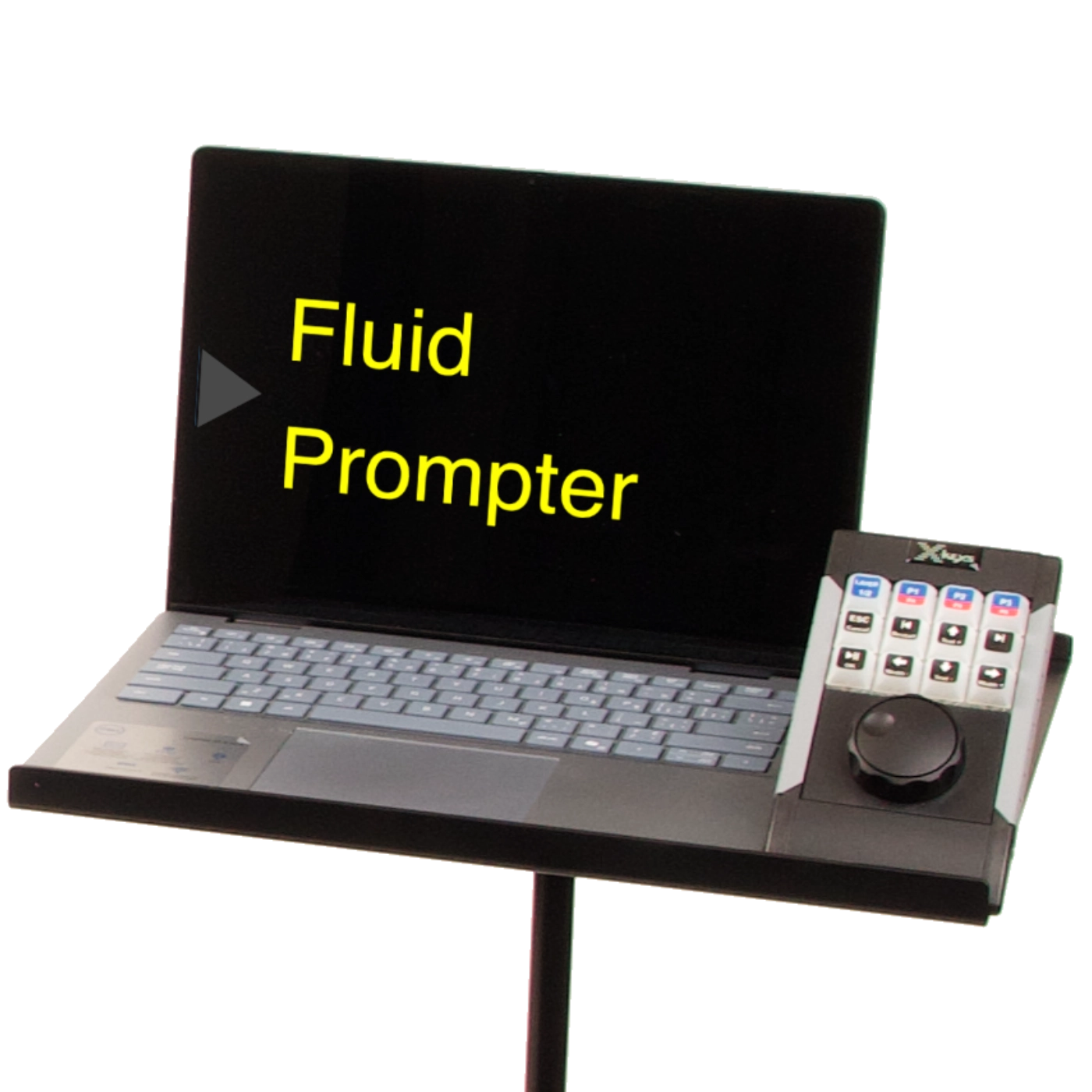
The X-keys Jog & Shuttle by PI Engineering integrates with FluidPrompter. And it's changing the game for teleprompter operators working in newsrooms, video recording studios, corporate keynotes, and presidential teleprompting.
Hit the right key at the right moment every time. X-keys offers full-color RGB backlighting - perfect for operators working backstage or in poorly lit areas. Use a slider in the FluidPrompter control panel to easily adjust the backlight between 0 and 100%.
The X-keys Jog & Shuttle has 12 programmable keys. That means you have more actions available right at your fingertips, without leaving your desk. Plus, the jog & shuttle dial gives you smooth rotational control over your prompter script.
No more memorizing keyboard shortcuts, relying on outdated legends, or using markers to scribble over your keys. X-keys makes custom button labels specific to your studio or event. So your controller feels like it's made for the exact job you do.
A sturdy controller that's easy to use makes keystrokes feel smooth and confident. That's why all X-keys products have durable keys, a spill-resistant silicone membrane, and electronics that behave like a simple USB keyboard.
Long distances between your operator and the stage? No problem. Use our SDI output and your SDI cables for a dedicated video feed to your prompters (without a converter box). FluidPrompter makes your entire setup - from script to hardware to controllers - a whole lot simpler and more professional.


Coby Shield
Director of Sales and Customer Success, PI Engineering (X-keys)
“Our controllers have more keys available so operators can manage everything from one place, and that includes controlling the physical up-and-down movement of presidential teleprompters.”
Featured Use Case: Presidential Teleprompting
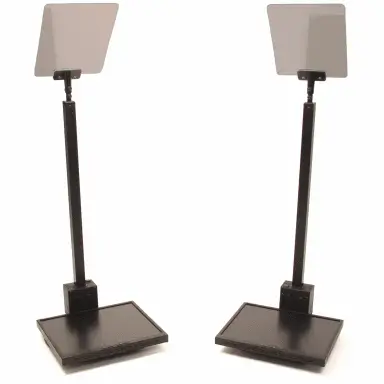
X-keys, PresenterTek, and FluidPrompter come together to deliver a deeply connected system that works like a single unit. Think of it like the human body, where every organ and limb has a job, coordinated by the brain.

Philip Van Ee
Director of Operations, PI Engineering (X-keys)
“FluidPrompter's founders are experienced developers who know what they're doing. They wrote our X-keys product directly into the FluidPrompter program, so it's supported natively. There's no middleware, no drivers, no emulating keyboard strokes (which are known to fail at the worst times!). You just plug it in, and it works.”
PI Engineering, the maker of X-keys, understands what it means to put real responsibility behind a button. In live broadcasting, there are no do-overs. An operator's actions are a "once and for all" reality. That's exactly the kind of environment where X-keys controllers shine.
From the sports arena to the speaker's podium
Ever wonder how sports broadcasters make those instant replays appear on your TV?
Behind the scenes, many playback operators use X-keys control pads to scrub footage, select replay clips, and play them on air. And they do it with such perfection, time and time again. There's no margin for error, and no mercy for keypads that fail.
That level of precision is why X-keys Jog & Shuttle controllers are trusted in live production environments at organizations like ESPN, Disney, Pixar, and NBC.
Sure, X-keys controllers feel right at home in sports arenas, on turf fields, courts, and ice rinks. But they're also a best-kept secret in the teleprompting world.
When FluidPrompter's co-founders stopped by the X-keys booth at the NAB Show, they were looking for controllers or keypads that could handle the high expectations of presidential teleprompting, something they gleaned from their partnership with PresenterTek.
Because X-keys controllers are simple, customizable, and compatible with a wide range of systems, they're an excellent choice for teleprompter operators at major speaking events.
In environments like presidential addresses, executive briefings, and large corporate keynotes, there's no "pause button."
Scripts advance live. Robotic rise-and-fall teleprompters have to move to the right height at the right moment for the right speaker. And every minor adjustment can make a big difference.
X-keys quickly emerged as the ideal fit. A controller already proven in the high-pressure environment of live TV broadcasting is ready to get to work for some of the most important podiums in the world.
Philip Van Ee
Director of Operations, PI Engineering (X-keys)
“Ben and Stan at FluidPrompter have been extremely easy to work with, because they haven't had to ask any programming-related questions. When they want to do something, they get to work and figure it out. They're just that good at what they do.”
You'll need FluidPrompter's desktop app (available for Windows, Mac, and Linux) to use features like SDI output and our integrations with PresenterTek and/or X-keys. You'll also need to upgrade to our Studio Team plan, if you haven't already.
Simply plug in the X-Keys to an available USB port, open FluidPrompter desktop, click connect, and select your hardware to finish setup.
(Optional) Adjust the X-Keys button mappings and controls. FluidPrompter ships with a pretty good set of default button mappings. But controller layouts can be a matter of personal preference. FluidPrompter gives you full control to configure and customize your X-Keys controller.
To buy an X-keys Jog & Shuttle, simply visit PI Engineering's website and shop for the XBE-12 Jog & Shuttle controller. If you need more information about their products, simply contact them and they'll be happy to answer your questions.
Yes, PE Engineering (the maker of X-keys) offers full-color printing for icons, text, and logos on all stock key sizes. Simply contact their sales team for a quote by emailing sales@piengineering.com.
Integrating your X-keys Jog & Shuttle with FluidPrompter takes just 3 easy steps. Follow the instructions in our step-by-step guide.
Integrating your X-keys Jog & Shuttle with PresenterTek and FluidPrompter is easy. Follow the instructions in our step-by-step guide.
You can always contact us.